
Monitoring Forms
Monitoring forms are essential for
Collecting KPI and ESG data across portfolio companies
Streamlining investor reporting
Tracking performance over time.
Below, learn how to create, send, and export Monitoring Forms using interactive demos.
Visual Workflow
Monitoring Form Process:
Creating a form
Add questions & sections
Assign to companies
Set deadlines
Collect data
Export or analyse
1. Creating a Monitoring Form
Start by building your form using the drag and drop feature. You can define sections, add custom questions + KPIs and personalise sections for specific companies.
2. Assigning Company Specific KPIs
Assign specific KPIs to selected companies — only the companies chosen will receive this form when it is distributed.
3. Sending Monitoring Forms
Once your form is created, learn how to assign it to companies and schedule collection deadlines.
Tip: A good way to test your monitoring form is to create a demo company and email the form to yourself. If you need a reminder on how to create a demo company, refer to the Adding a Company
Creating Survey Groups
If you need to create different groups of companies that may have unique surveys only required for them, it may be worth setting up a quick group select button. This is essentially a tagged system that allows you to select your desired companies quicker (e.g. Cohort 1, Cohort 2).
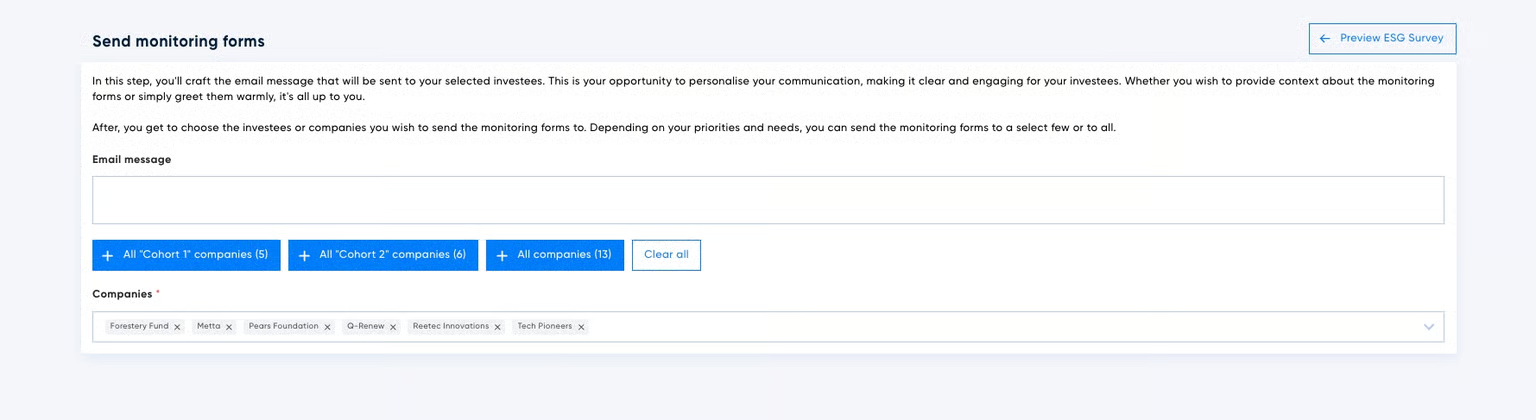
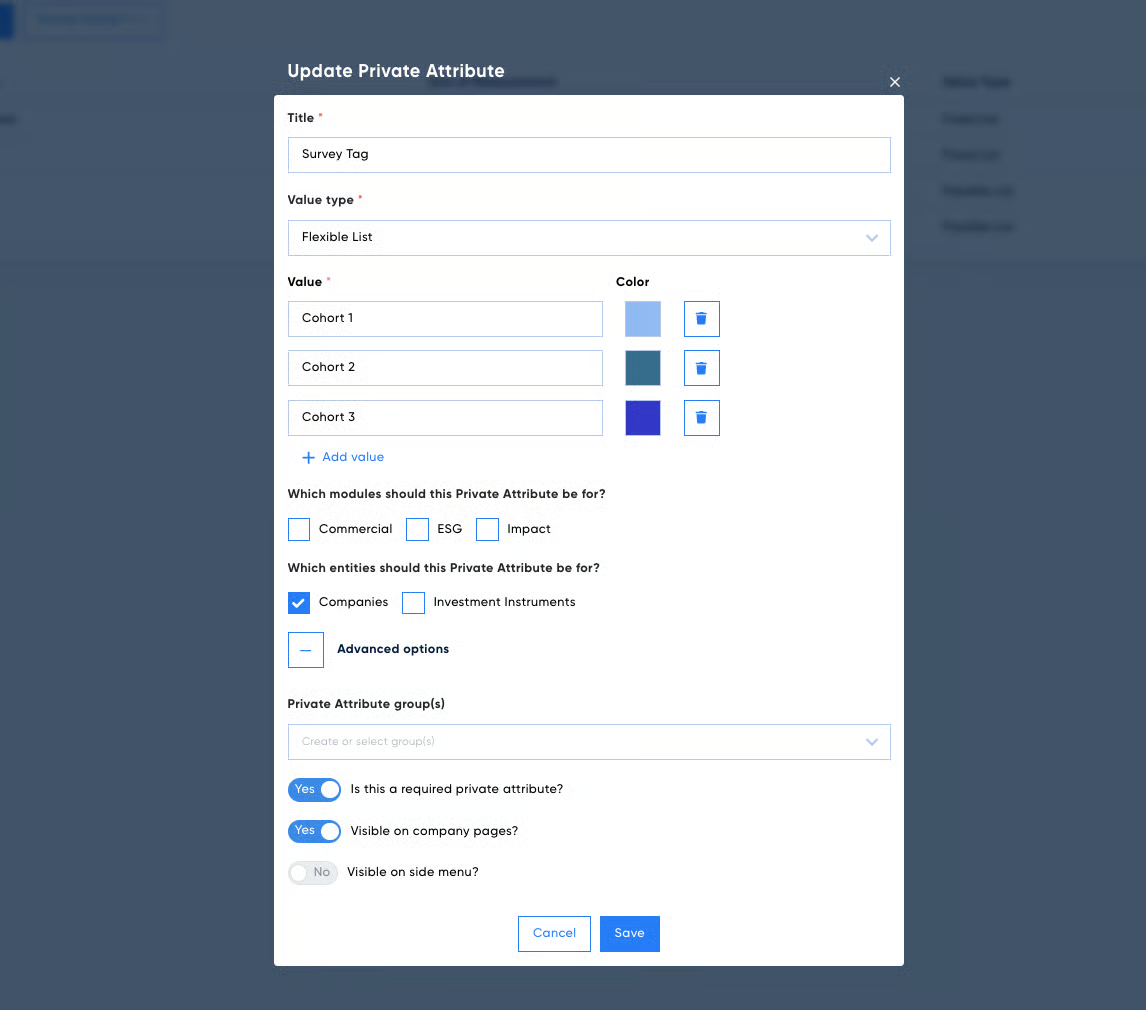
These groups are linked to the Private Attribute feature so you can group by sector, location, or any other tag. To create the survey group buttons, follow these steps:
The Value type needs to be a flexible list.
It needs to be a required attribute — switch the toggle to Yes next to 'Is this a required private attribute'.
You need to have 5 or more companies with the same value for the group button to be created.
4. Sending Reminder Messages
Need to remind certain companies within your portfolio to complete their monitoring form? You can send personalised messages to each company all from one page.
5. Generating a PDF for a Monitoring Form
Export and save completed forms as PDFs for internal records or investor reporting.
Note: When downloading the PDF, your browser may ask you to allow pop-ups — click Allow to enable the PDF download.
Troubleshooting
Can I reuse a monitoring form each quarter?
Yes, duplicate it and update the date/sections as needed.
What happens if a company doesn't respond on time?
You can resend the form or send reminders manually.
How do I change the deadline after sending?
Go to the "Sent" tab, select the form, and adjust the deadline.
Can I link custom KPIs to specific questions?
Yes, you can assign KPIs when creating or editing a question.
Related
KPIs
Chat with your Data